Use 4Search privately
On this page
This guide walks through the privacy controls on 4Search in the order you meet them: the first-visit banner, what your browser keeps, how to switch AI answers and saved items off, and the browser signal that turns advertising off everywhere on the site.
#Make your first choice
-
On your first visit, the Your privacy choices banner sits at the bottom of the page.
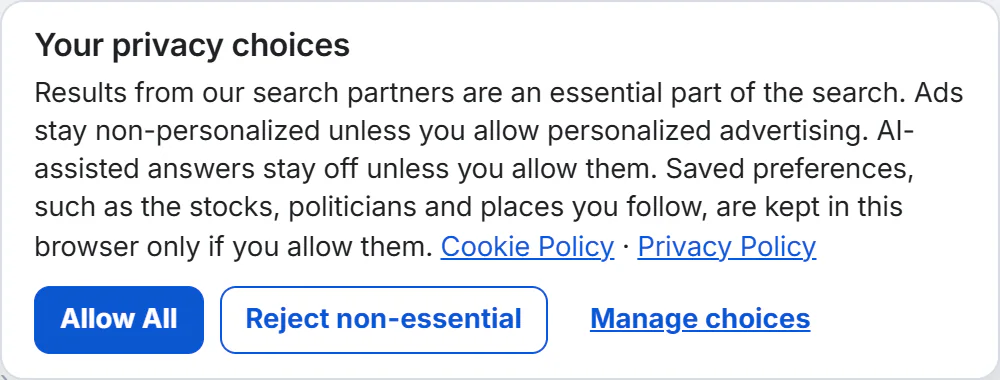
The banner's three buttons, with links to the two policies.
- 1Links to the Cookie Policy and the Privacy Policy
- 2Allow All
- 3Reject non-essential
- 4Manage choices
-
Select Reject non-essential to keep only what search needs, or Allow All for every optional category.
-
Or select Manage choices to decide one category at a time, then Save choices.
Two categories are always active: Strictly necessary and Search partner results, because the Web column is part of the search you asked for. Saved preferences, AI-assisted answers and, on a site that shows ads, Personalized advertising stay off until you switch them on. Refusing them never removes 4Search's own results or Google's. See Your privacy choices.
#Know what stays in your browser
Your privacy choices, your colour theme and the topic menu's order are kept without asking. Everything you follow or save, your home place and longer-lasting units are kept only with Saved preferences. An AI Mode chat lives in its browser tab and is gone when you close it.
None of this is in an account, and it does not move to your other devices. See What stays in your browser, and how to clear it.
#Turn AI answers off
One switch, AI-assisted answers, covers both the AI Overview and AI Mode. While it is off, nothing is sent to the AI provider, and the rest of the site works as before.
-
Select the round shield button at the bottom left of the page, or open Menu › Your Privacy Choices.
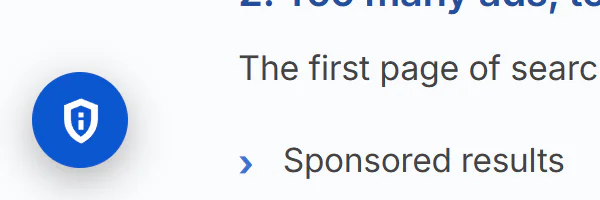
The shield button reopens your choices from any page.
- 1The privacy choices button
-
Switch AI-assisted answers off.
-
Select Save choices.
When it is on, your words, and in AI Mode your earlier messages and the matching articles, go to the provider named on the AI Transparency Notice. See Turn AI answers on or off and How AI answers use your question.
#Turn saved things off
In the same panel, switch Saved preferences off and select Save choices. That deletes what it kept at once: your watchlist and chart settings, everything you follow, your home place and followed places, your saved map places, recent Maps searches and saved units. Turning it back on later does not bring them back.
To remove one item instead, select Following on it, or remove it from its list page. See Saved preferences.
#Let your browser decide
If your browser sends Global Privacy Control, 4Search treats it as an opt-out. On a site that shows ads, the Personalized advertising switch in the privacy panel is off and cannot be turned on, with the note Disabled because this browser sends Global Privacy Control.
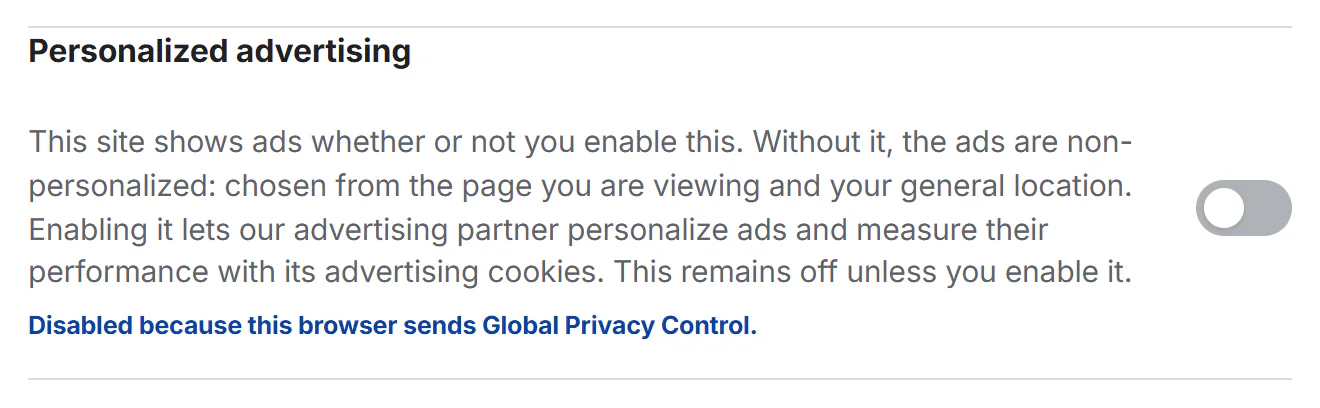
With Global Privacy Control on, the Personalized advertising switch is off and locked.
- 1Shown when your browser sends Global Privacy Control
The signal does not change your AI or Saved preferences choices, and the older Do Not Track signal is not treated as an opt-out. See Global Privacy Control.
#Clear everything
To make the site forget you on this device, delete its cookies and site data in your browser's settings. The banner returns, the theme goes back to Hybrid, and your lists are gone. Each site of the 4 Network is separate, so clear each one. A private window may forget all of this when you close it.
Clearing your browser does not delete the ordinary request records the site keeps on its servers. To ask about those, see Make a privacy request, and for what is recorded, What 4Search collects, and what it does not.
#Common questions
Do I have to accept anything to search?
No. Reject non-essential keeps only the two always-active categories, and search still works.
Is my search history saved to an account?
There are no accounts for visitors, so there is no history attached to one. The site does record technical request information, as the Privacy Policy describes.
Does Use my location in Weather keep my position?
Your browser asks first. The position, rounded to about 100 meters, is sent once to find the nearest place and, the Privacy Policy says, is not kept.